Digital Dance Studio
Summary ↑
This is a sizeable ongoing project of mine. The idea is an application that supports dancers in various ways. The initial focus was a video player with advanced transport controls (e.g. frame stepping, slowmotion, A-B loops) which also records the user. The user can then watch the reference video and his own recording in a side-by-side view to check how well he danced a choreography or drill.
An earlier WinUI3 app that I made stopped at the above, in this project I go further. Currently the WPF application also has an annotation system, and allows the reencoding of videos. Initally, all videos had to be local, on the user's device. Currently I'm working on the server side. Logging in, browsing a catalog, uploading and streaming videos is already working. But there is a lot more on the roadmap.
WPF Application ↑
Practice View ↑
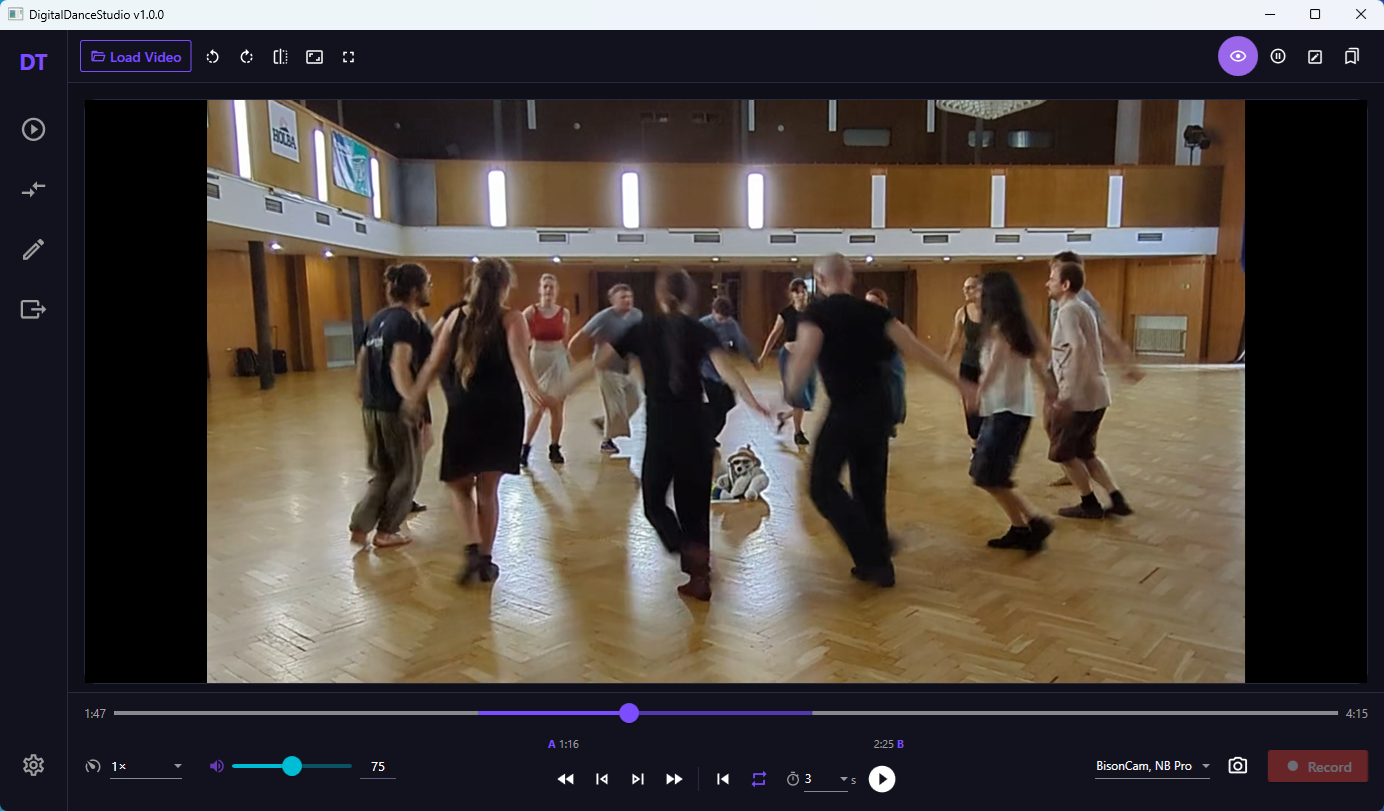
The practice view has a videoplayer on the left and a webcam feed on the right. It's also possible to let the videoplayer use the entire window. There are buttons to rotate or mirror the video.
Below the video there are advanced transport controls, allowing for frame stepping, alternative playback speeds, and A-B loops (with optional delayed start). A-B loops are loops over only a part of the video, instead of looping over the entire video. One can also place bookmarks to be able to easily navigate back to specific points in the video.
The user can watch a video with a drill, exercise or choreo while recording themselves. For each loop a separate recording is made, which can be checked in the review view.
Review View ↑
The review view looks similar to the practice view. Most controls are reused. This time the view on the right is not a live webcam feed but the recordings made in the practive view, easily loaded via a sidebar. The playback is synced between the two videos, taking into account any offsets caused by recording only during a part of the original video (e.g. when using A-B loops).
It's also possible to load any other video. Using the offset tool at the top they can be synced. The auto align button suggests an offset based on the audio.
When comparing the two videos the same advanced transport controls can be used to do a close inspection and check precise timings even during fast moves.
In case high level synchronization between the two videos is required, it's possible to generate a composite video via the alignment view. Here the user has extra tools to align the two videos precisely and can then generate a single video file with the reference on the left/top and the recording on the right/bottom. In review view there is a load composite button which understands that it's two videos in one. Since it's now one file, there is no syncrhonization problem anymore (if alignment was correct).
The high level precision is especially relevant when letting a (local) LLM compare the two and give feedback. This part still needs a lot of finetuning, however. The AI feedback works by first extracting frames from the chosen part (the active A-B loop). The frames are reduced in size and only a few frames per second are used to not overload the LLM. Then it gets segmented into short fragments of a few seconds each, with a bit of overlap to keep context. For each segment the relevant frames along with a prompt are sent to the LLM, which then returns feedback.
Annotations ↑
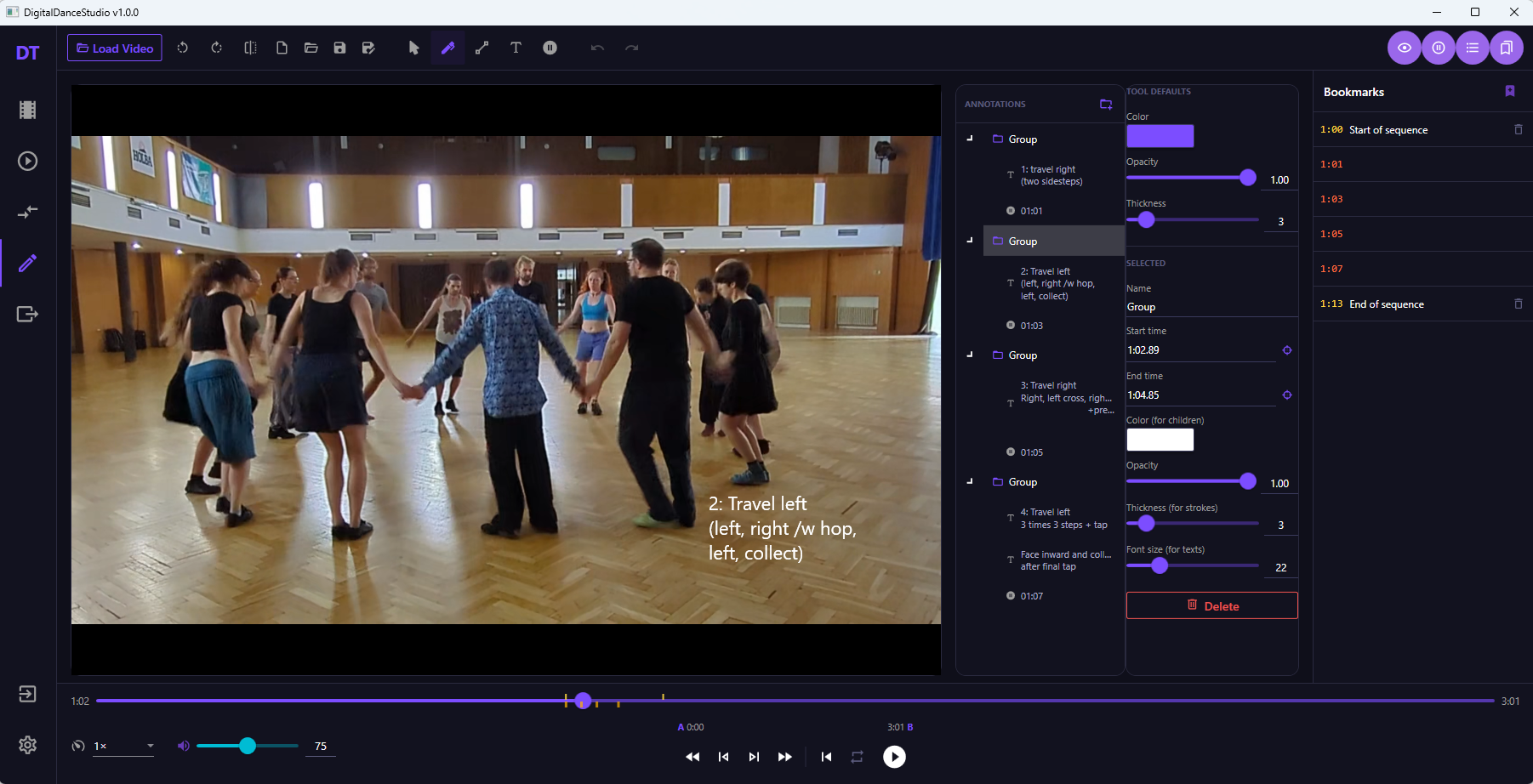
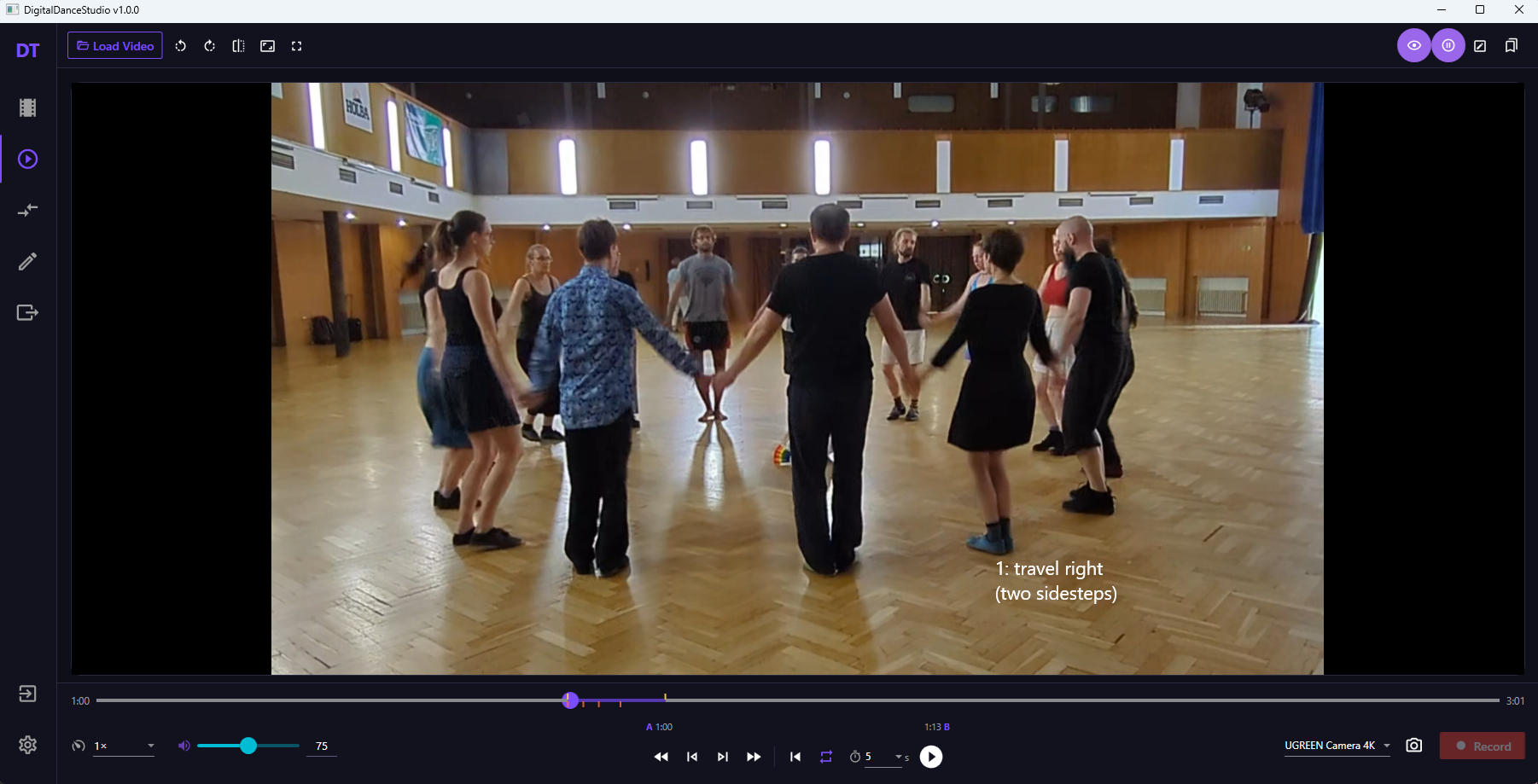
There is a system for adding annotations on top of the videos, in the form of lines and text. Editing the annotations is done in the annotation view, and they can then be used in the practice and review views. They allow for non-obvious details to be pointed out in text, or to give pointers for comparison in the review view.
Annotations can be grouped together and made to inherit the styling and timing properties from the group. This way it's easier to make them be visible at the same time and makes it less cumbersome to style them.
There is also a special pause annotation, which pauses a running video for a given amount of time before resuming. This allows someone to go through a video slowly, giving time to read instructions, but without having to manually pause and resume.
Export ↑
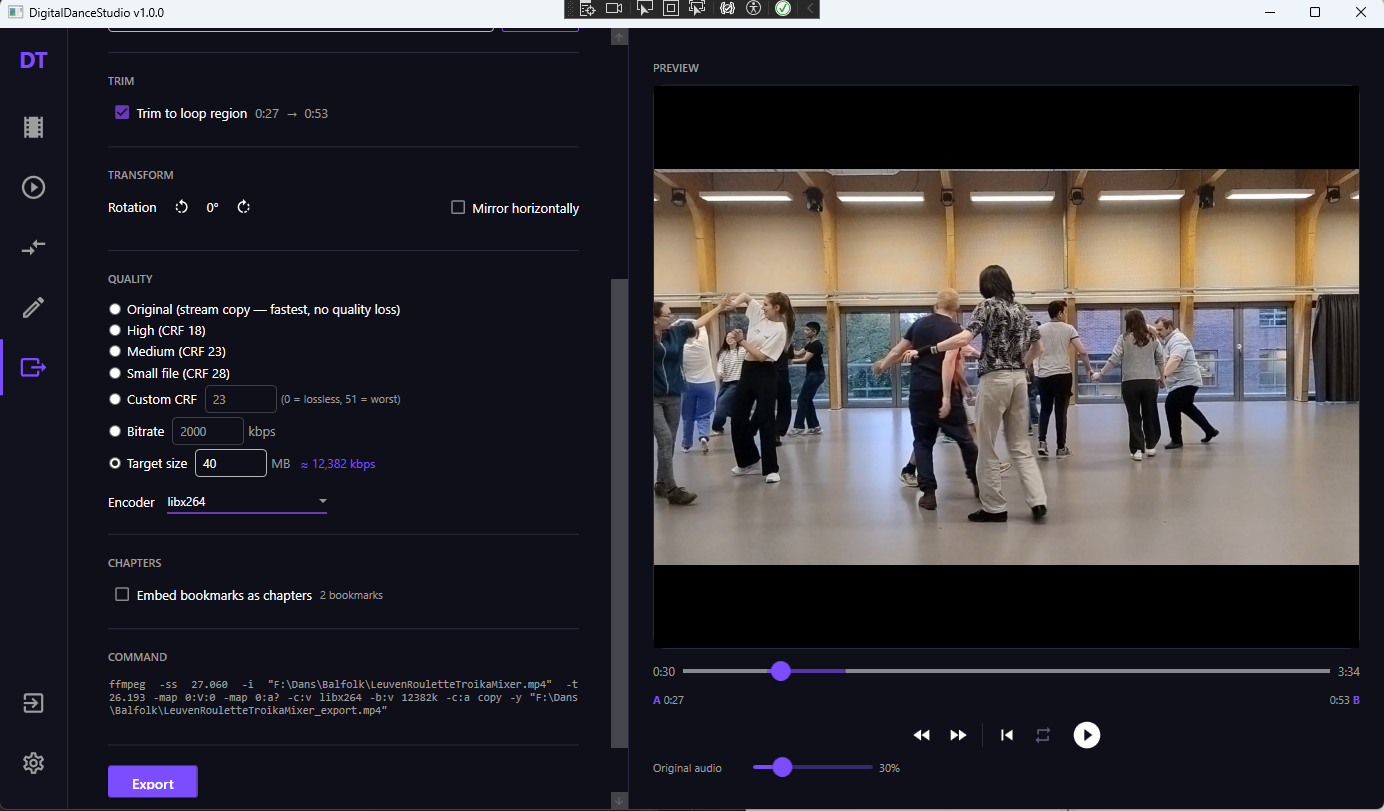
The export view is a convenient and easy to use ffmpeg wrapper. It allows for:
- Trimming a video down to the timing of the A-B loop.
- Changing the audio with that of a sound file.
- Rotating or mirroring the video.
- Changing the quality to lower the file size.
- Embedding the bookmarks as chapters.
The audio replacement has an automatic alignment tool, but in case it doesn't work or needs finetuning it's straightforward to correct because of the same advanced transport controls. For example by setting an A-B loop on a part where a move is done accurately to a specific accent in the music, and adjusting the offset with the +/- buttons (while playing) until the dancer hits the accent.
Server interaction ↑
Besides local videos, they can also be streamed from the server. After logging in the user can select a video from the catalog and play it in practice, review or annotation view. Uploading new videos to the server is also possible.
Architecture and plans ↑
Before starting on the serverside, I first created the architecture below. It's not intended to be the end product, I may change or add features depending on ideas or insights I get along the way, but I wanted to take into account sufficient components to get a proper grasp of the complexity.
At the top we see there are plans for multiple clients. Only the WPF application exists currently, but all the code that talks to the server lives in a separate library that can be reused later.
The entry point is the API gateway, which serves as a YARP reverse proxy and checks the JWT tokens (without needing to talk to the identity server). Clients only communicatie with the gateway (with the exception of the media delivery service when streaming a video).
The yellow bar is the event bus, the connective tissue that handles the internal communication. The services themselves never talk to each other directly; instead they produce and consume events. Adding new instances of one service doesn't require anything from the already running services. This has the benefit of improved scalability and recoverability and makes development nicer too. MassTransit is used in the code, with RabbitMQ running under the hood.
The identity service handles anything related to an account's authentication and authorization. It creates the JWT tokens which allow a stateless communication between client and server. Whenever a user's info changes the JWT tokens get invalidated so that the gateway knows it has to refresh them with up to date tokens.
Display names, profile pictures, profile descriptions, and such is handled by the profiles service. While the information is related to an identity, it's not strongly related to authentication. To not overload the identity service it is handled as separate data. For scalability it uses the CQRS pattern, splitting reading from writing, as eventual consistency is acceptable, and there will be a lot more reads than writes. For example, display names will be necessary for every video in the catalog, but are rarely changed.
The content block handles the video uploading and streaming and is of course responsible for giving an overview of what exists. The metadata is stored in a postgresql database and the videos in SeaweedFS. When a video is uploaded to the catalog-write service, it stores the original file in SeaweedFS and fires an event. A transcode worker will pick up on that event, and process the video using FFmpeg to make it ready for streaming. The streamable video files are also in SeaweedFS, with information on where to find it in the Postgres. The media delivery container is an Nginx service for the streaming of the videos.
The annotations block handles discovery and distribution of annotation json files related to specific videos. Annotations uploaded by users get stored SeaweedFS while the metadata goes in a Postgres database.
Finally, there is the vague idea for an analytics service. This one will mostly observe the system rather than interact with it, so it's not fleshed out yet. It will likely work by consuming messages sent by the other services to a dedicated analytics queue.
Deployment ↑
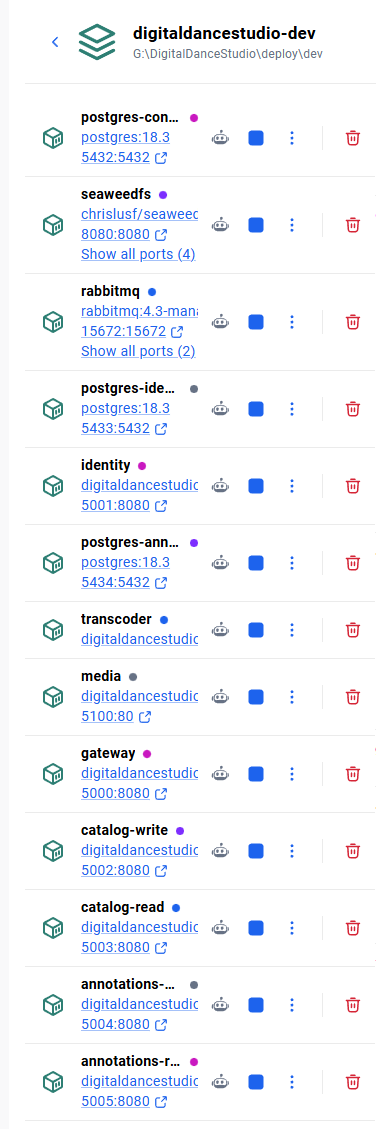
All services are in their own docker container. The short-term goal is to deploy them primarily on a friend's server cluster, distributed across several virtual machines. By chance, I might acquire a bunch of Raspberry Pi's, so I plan to build a local cluster too. Since they're older models, the resource-intensive task of the Transcode worker might be too much, but they should be fine as a fallback for most of the services.
I will use Docker Swarm and Portainer for orchestration and management (at least at first). Prometheus and Grafana for monitoring. A Wireguard mesh VPN, created with Netbird, will abstract the network layer connectivity.
Blazor webapplication ↑
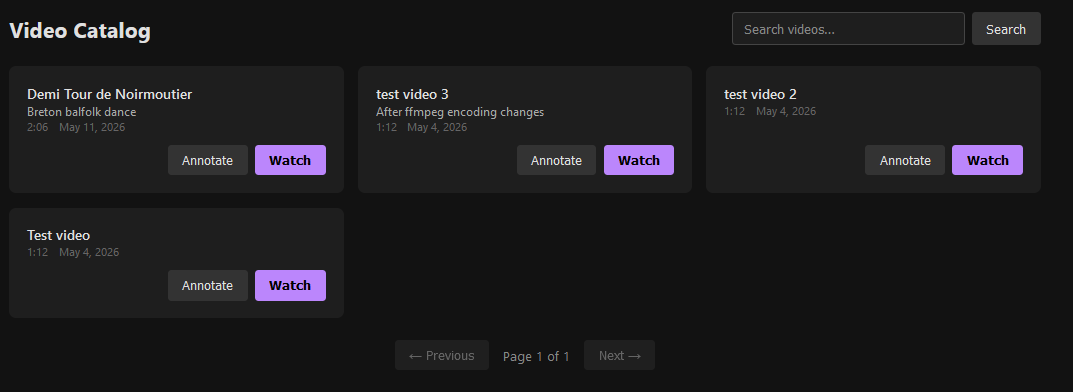
It's not a priority, but a very basic version of the client runs in the browser. It's made with Blazor and currently has just the authentication, catalog and video streaming working.